

How to Reduce Kids Screen Time 2026: A Parent's Guide
Table of Contents
- Start With a Screen Time Reality Check
- How to Set Screen Time Limits for Kids That Actually Stick
- Build a Screen Time Schedule for Children
- How to Stop Screen Time Tantrums Without a Fight
- Screen-Free Activities for Kids That Beat the Couch
- Make the Switch Easier With the Right Gear
- Common Mistakes Parents Make When Cutting Screen Time
- Conclusion
- Frequently Asked Questions
Last Updated: October 21, 2026
Start With a Screen Time Reality Check
If you want to know how to reduce kids screen time in 2026, start by counting honestly. Most parents underestimate their child's daily screen hours by a wide margin. The screens are everywhere now: the tablet at breakfast, the TV in the background, the phone in the car.
This guide from Talkio is built on a simple idea. You cannot cut screen time by willpower alone. You replace it with something better.
So before you set a single rule, do a three-day audit:
- Note every screen your child uses, including passive TV
- Track the start and end time of each session
- Write down what triggered it (boredom, habit, your own need for quiet)
The trigger matters more than the total. A child who reaches for a tablet out of boredom needs a substitute activity. A child who uses it to wind down needs a calmer bedtime routine.
Here's the part most guides skip. Your own screen use sets the ceiling. Kids copy what they see, not what they're told.
How to Set Screen Time Limits for Kids That Actually Stick
Limits fail for one reason: they're vague. "Less screen time" is not a rule. "One hour after homework, then screens off" is.
Set limits that are specific, visible, and agreed in advance. Write them down where everyone can see them. A fridge chart beats a lecture every time.
The structure that works best has three parts:
- A daily cap on entertainment screen time
- Clear screen-free zones, such as bedrooms and the dinner table
- A trade-off rule, where outdoor play earns extra time
That last one is powerful. It turns screen time into something earned through movement, not something taken away.
Pick Limits by Age, Not by Guilt
Age changes the equation. A four-year-old and an eleven-year-old need very different rules, and treating them the same causes resentment.
For younger kids, keep sessions short and always supervised. For older kids, focus on what screens are used for, not just how long. Homework and video calls with grandparents count differently from games and short videos.
Talk to your kids about the "why" behind each limit. Children who understand the reason push back less.
Build a Screen Time Schedule for Children
A screen time schedule for children works because it removes daily negotiation. When the time is fixed, there's nothing to argue about.
Anchor screens to predictable moments. Many families find it helps to park screen time right after homework and before dinner. That leaves the evening free for winding down.
A simple weekly rhythm looks like this:
| Time of Day | Screen Rule | Why It Works |
|---|---|---|
| Morning before school | No screens | Keeps mornings calm and on time |
| After school | Snack and outdoor play first | Burns off energy before sitting down |
| After homework | One screen block | Screens become a reward, not a default |
| Dinner | All devices away | Protects conversation time |
| Bedtime | Screens off one hour before | Helps kids settle and sleep |
Print it, stick it up, and follow it yourself. A schedule only holds when parents keep to it too.
How to Stop Screen Time Tantrums Without a Fight
Tantrums are normal, not a sign you've failed. The trick is to prevent the flashpoint before it happens.
Give a warning before the time ends. "Five more minutes" and "two more minutes" soften the ending. Then hold the line calmly when the timer goes.
Here's what to avoid:
- Snatching the device away mid-game
- Negotiating in the moment
- Giving in "just this once"
Each of those teaches your child that pushing back works. Stay warm but firm. Offer a clear next activity so the transition has somewhere to go.
If a meltdown does happen, don't punish. Acknowledge the frustration, then redirect. "You're upset the game stopped. Let's go kick the ball for ten minutes." The feeling gets named, and the body gets moving.
Screen-Free Activities for Kids That Beat the Couch
The best screen-free activities for kids share one trait: they're easy to start. If an activity needs ten minutes of setup, kids drift back to the couch.
Keep a "boredom basket" ready near the door. Fill it with things that need no adult help to begin.
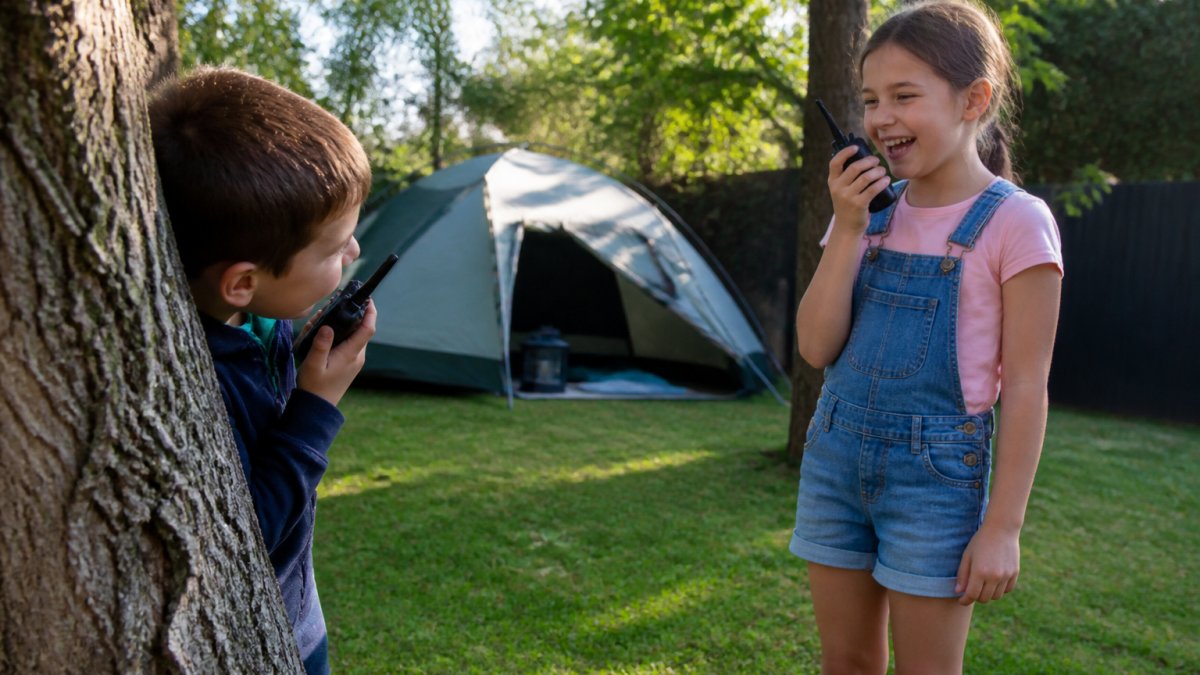
Good options that work in a suburban backyard:
- Backyard treasure hunts with simple clues
- Nature scavenger lists (a smooth stone, a yellow leaf, a feather)
- Den building with sheets and pegs
- Bike or scooter circuits around the block
- Water play on warm days
For siblings, give them a shared mission. Two kids on the same team stay engaged far longer than two kids playing alone. That's exactly why we stock the Talkio™ Kids Walkie Talkies. They run on AA batteries, need no Wi-Fi, and work up to 3 km in open areas. Kids get the thrill of staying connected with zero screen time.

Make the Switch Easier With the Right Gear
Gear doesn't fix habits on its own, but the right kit removes friction. Durable outdoor toys survive rough play, so kids keep going outside instead of giving up.
At Talkio, we curate products for exactly this job. Our walkie talkies are built for drops, dirt, and adventurous hands. They suit ages 3 and up, and the push-to-talk button is simple enough for little kids to use alone.
What most parents tell us is that the walkie talkies turn a plain backyard into an adventure. One child hides, the other searches, and suddenly an hour has passed without a single request for a tablet.
Common Mistakes Parents Make When Cutting Screen Time
The biggest mistake is going cold turkey. Cutting screens to zero overnight creates a battle you'll lose. Taper down instead.
Other traps to watch for:
- Rewarding with screens. Using a tablet as a prize teaches kids that screens are the ultimate treat.
- Inconsistent rules. If the limit changes on weekends or when you're tired, kids learn to wait you out.
- No replacement plan. Taking something away without offering an alternative leaves a gap that boredom fills fast.
- Punishing the feeling. Getting upset about a tantrum makes the next one bigger.
A common mistake is expecting instant results. Habits built over years take weeks to shift. Track progress by the week, not the day, and expect a few stumbles along the way.
If you're coming from a house with no rules at all, start with one change. One screen-free dinner, every night, for two weeks. Add the next rule once the first one holds.
Conclusion
Cutting screen time is a challenge, and it won't go smoothly every day. The families who succeed are the ones who replace screens with something worth doing, not just take them away.
That's where Talkio comes in. We're a small Australian business focused on screen-free play, with products chosen to spark imagination and get kids outdoors. Our walkie talkies ship within 1 to 2 business days, run on included AA batteries, and need no internet or in-app purchases. They're built for camping trips, backyard adventures, and everything in between.
Ready to trade screen time for real-world adventure? Shop with Talkio and give your kids a reason to head outside.
Frequently Asked Questions
How much screen time is appropriate for children?
For kids aged 3 to 5, aim for no more than one hour of quality screen time per day, ideally with a parent nearby. Children aged 6 to 12 usually cope with a firm daily cap that you set together, plus clear rules about when screens go off, such as during meals and the hour before bed. The exact number matters less than consistency. A predictable limit your child can recite is far more effective than a strict number that changes with your mood.
How do I create a screen time schedule for children that they will follow?
Write the schedule down and put it somewhere visible, like the fridge. Block screen time into a fixed slot, such as after homework and before dinner, rather than leaving it open all afternoon. Include screen-free anchors like breakfast, school pick-up and bedtime so the day has rhythm. Let your child help choose the slot within limits you set. When the schedule is predictable, kids stop negotiating every request because they already know when their turn comes.
What should I do if my child gets upset when screen time ends?
Give a warning before the end, such as five minutes and then two minutes, so the transition is not a surprise. Name the feeling without giving in: it is fine to be disappointed, and the limit still stands. Have the next activity ready before you switch the screen off, so there is somewhere for the energy to go. Stay calm and repeat the same script each time. Tantrums usually shorten once kids learn the boundary does not move.
What are some screen-free activities for kids at home?
Backyard treasure hunts, obstacle courses made from cushions, chalk roads on the driveway, bug-spotting walks and walkie talkie games all work without leaving home. For siblings, give them a shared job like setting up a tent or building a cubby so they cooperate instead of compete. Keep a small box of outdoor-only toys ready to grab. Novelty does most of the work: rotate what is available each week and the same gear feels new again.